
Hostess

Free SSH client for Windows 10 and 11 Hostess(h)

SSH for Windows, no detours. Terminal, file manager, tunnels and key management in one window.

  • Version 0.21.1
  • Windows 10 & 11
  • Installer 9 MB

SHA-256: d12f9317dfa553878dbfab78ed4ee4eed7a1586d7deb6f41f9486f934a488c55

Not signed: Windows asks for confirmation on first launch.

Does
Tabbed terminal, SFTP file manager, port forwarding, key management and voice input.
Safe
Your credentials stay on your PC. No account, no cloud.
Costs
Nothing. Hostess is free.
Hostess 0.21.1
Search hosts
HOSTS
web-01deploy@web-01.example.org 12 ms
db-01admin@192.0.2.40 14 ms
backuproot@backup.example.org 31 ms
homeserveradmin@homeserver.example.net 8 ms
+New host
Settings
web-01×
db-01×
deploy@web-01:~$ ip -br addr
lo UNKNOWN 127.0.0.1/8
eth0 UP 192.0.2.24/24
deploy@web-01:~$ df -h /srv
Filesystem Size Used Avail Use% Mounted on
/dev/sda2 78G 31G 44G 42% /srv
deploy@web-01:~$ ping -c 2 192.0.2.1
PING 192.0.2.1 (192.0.2.1) 56(84) bytes of data.
64 bytes from 192.0.2.1: icmp_seq=1 ttl=64 time=0.41 ms
64 bytes from 192.0.2.1: icmp_seq=2 ttl=64 time=0.38 ms
deploy@web-01:~$

Features

What Hostess does

01 Terminal

Several servers in tabs, everything from the keyboard.

  • Search with match count
  • IP addresses in color, such as 192.0.2.24
  • Font size with Ctrl + Plus and Minus
  • The reason for a disconnect is shown in the terminal
  • Clickable web links and SSH tunnels (-L and -R) right in the header
  • Stays smooth even with heavy output

02 Files · SFTP

A file manager like Explorer, over the same connection.

  • Multi-select, arrow keys, F2
  • Transfer files and whole folders while continuing to browse freely
  • Double-click edits files directly; every save uploads automatically
  • Sort columns, change permissions (chmod) and see free disk space
  • Drag a file or image into the terminal: its path then appears in the terminal

03 Keys and security

Credentials stay on your PC.

  • Keys with type and fingerprint
  • Generate new ED25519 keys
  • Passphrase optionally stored in Windows Credential Manager
  • Unknown and changed server keys are reported

04 Convenience

Set up quickly, stays up to date by itself.

  • Import hosts from your existing SSH config
  • Response time per server in the host list
  • One-click updates with signature verification

05 Voice input

Speak instead of typing, without the cloud.

  • The text appears in the terminal as you speak.
  • Recognition runs on your PC, in under a second with a graphics card.
  • You can choose the language.

Ctrl + Shift + MVoice input on and off

Screenshots

Three views from the app

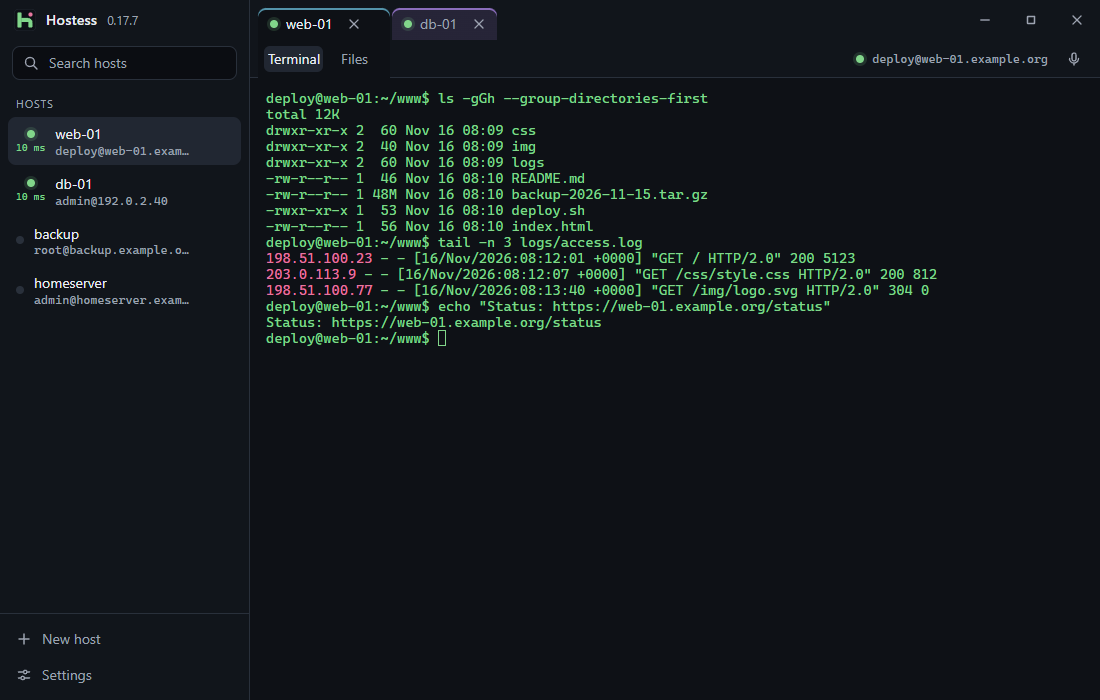
Hostess terminal with the host list on the left, two connected tabs and highlighted IP addresses
Terminal with tabs, response times and highlighted IP addresses
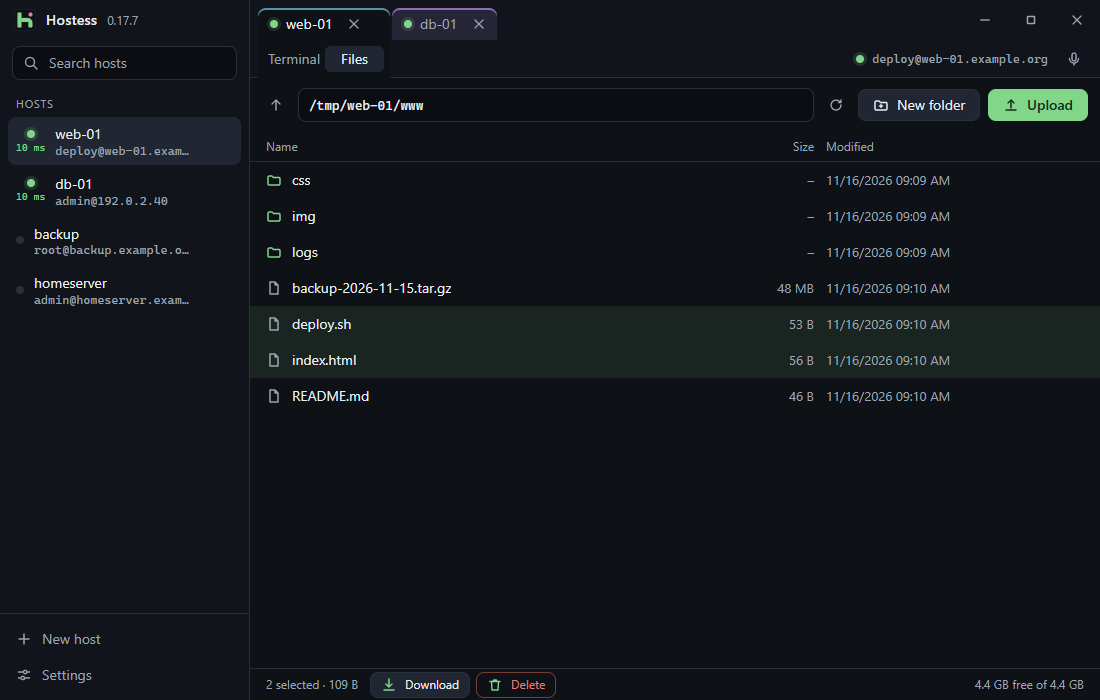
Hostess SFTP file manager with folder list, sizes and free disk space
SFTP file manager over the same connection, including disk usage
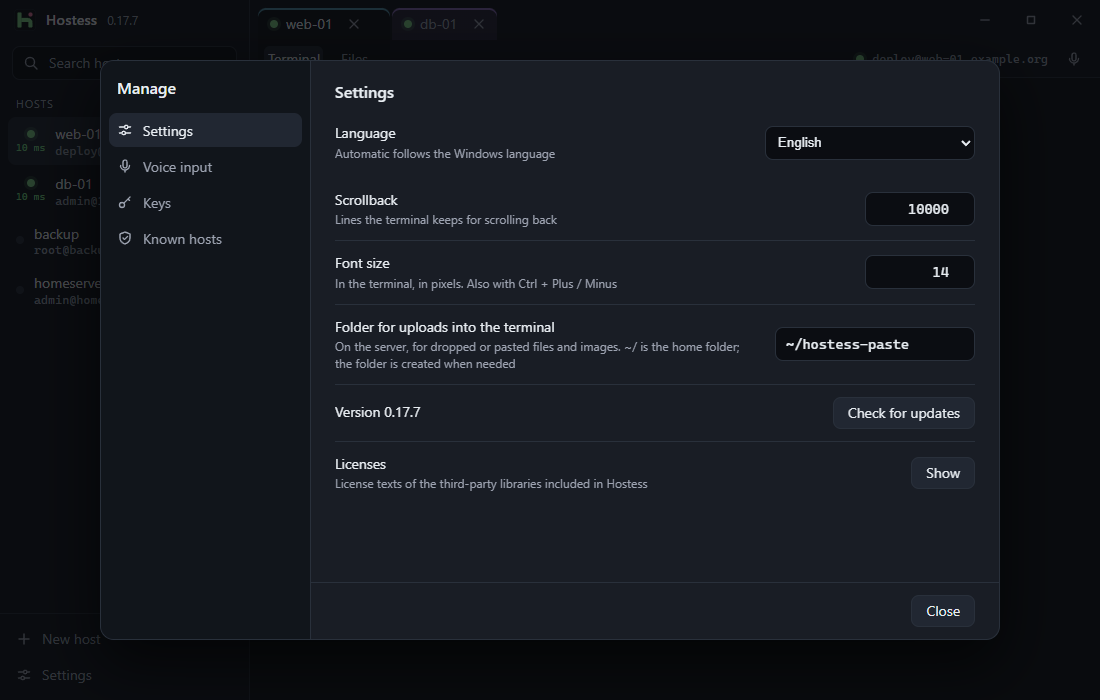
Hostess settings with language choice, scrollback and license notices
Settings for language, appearance, keys and known hosts

What’s new

37 versions in seven days

0.21.1

Latest version
  • NewReport bugs right inside the app: optionally attach a local, anonymized diagnostic log (without passwords, server addresses, file names or terminal contents) with a preview before sending
  • FixedShift + Tab in the terminal (e.g. switching modes in Claude Code or Antigravity CLI) now stays inside the terminal instead of moving focus to the sidebar
  • FixedIf a server crashes while a fullscreen or TUI program is running, Hostess now resets mouse, focus, keyboard and alternate-screen modes on disconnect, discards queued input, and detects connection drops faster

All earlier versions: version history on the German page.

Security and data

What stays on your PC

Where are passwords stored?

In Windows Credential Manager, if you want. Never in a file.

What leaves your PC?

Hostess needs no account and no cloud. Speech recognition runs locally too. Only the update check contacts our server and states the installed version. From that we count how many installations are active per day: without any identifier, and only the total is stored. Hosts, commands and files never leave your PC.

How are updates verified?

Every update is signed. Hostess verifies the signature before installing.

Is this the right server?

Unknown and changed server keys are reported.

The installer is not signed, so Windows asks for confirmation on first launch.

Comparison

An alternative to PuTTY and Termius

Hostess as a PuTTY alternative

PuTTY is free, open source and has been proven for years. In version 0.85 it opens every connection in its own window, transfers files from the command line (PSFTP, PSCP) and needs OpenSSH keys converted to its own PPK format first. Hostess shows connections as tabs in one window, includes a file manager, uses the keys from your .ssh folder without converting them and imports hosts from your SSH config.

Hostess as a Termius alternative

Termius runs on Windows, macOS, Linux, iOS and Android. The free plan includes SSH, SFTP and port forwarding; syncing between devices and the cloud vault are part of the paid Pro plan. Hostess is Windows-only and has no plans at all: no account, no cloud, hosts and settings live in a file on your PC.

When the others are the better fit

Hostess cannot do everything yet: no jump hosts (ProxyJump), no one-time codes (keyboard-interactive), no Telnet, no serial connections, and it runs on Windows only. If you need those, want to keep several devices in sync or work in a team, PuTTY or Termius will serve you better.

As of November 2026, based on the information on the vendors’ websites. PuTTY and Termius are names and trademarks of their respective owners. Hostess is not affiliated with either.

Questions

Frequently asked questions

Is Hostess free?

Yes. There is no paid edition, no subscription and no advertising.

Do I need an account?

No. Hostess works without signing in. Hosts and settings are stored in a file on your PC.

Can I keep using my existing SSH keys and SSH config?

Yes. Hostess reads the keys from the .ssh folder in your user folder and imports hosts from your SSH config. Nothing needs to be converted.

Does Hostess support SFTP?

Yes. The file manager uses SFTP over the same connection as the terminal: upload and download files and whole folders, edit files directly on double-click, change permissions (chmod), sort, rename and delete.

Can I sign in with a password?

Yes, with a key or with a password. One-time codes at sign-in (keyboard-interactive) are not supported.

Does Hostess support port forwarding or tunnels?

Yes. Local (-L) and remote (-R) port forwards can be added right in the header, saved per host and optionally started automatically on connect. Jump hosts (ProxyJump), Telnet and serial connections are not available yet.

Is Hostess available for Windows 10, macOS or Linux?

Hostess runs on Windows 10 and Windows 11. There are no editions for macOS or Linux.

Why does Windows show a warning during installation?

The installer is not signed, so Windows shows a notice on first launch. Click “More info” to continue the installation. Later updates are signed and verified by Hostess.

Technology

Under the hood

  • Tauri 2
  • Rust
  • russh
  • xterm.js

9 MB. Free. No account.

Version 0.21.1 · Windows 10 & 11 · not signed

Download installer